
The design file is gone. The image isn't.
Flyers get forwarded, menus get printed, and the editable source ends up on someone else's laptop. Changing the text in the picture itself is often the only practical option.
Quick image text changer
Event moved, price went up, new phone number? Change text in image files like flyers, menus, and shop signs by tapping the old words and typing the new ones. The current wording is prefilled, so most fixes take seconds — and the picture stays in your browser. No design file, no sign-up.
Pick the image with outdated text
Flyers, menus, signs — or a photo of one
Choose the language of the text you want to change
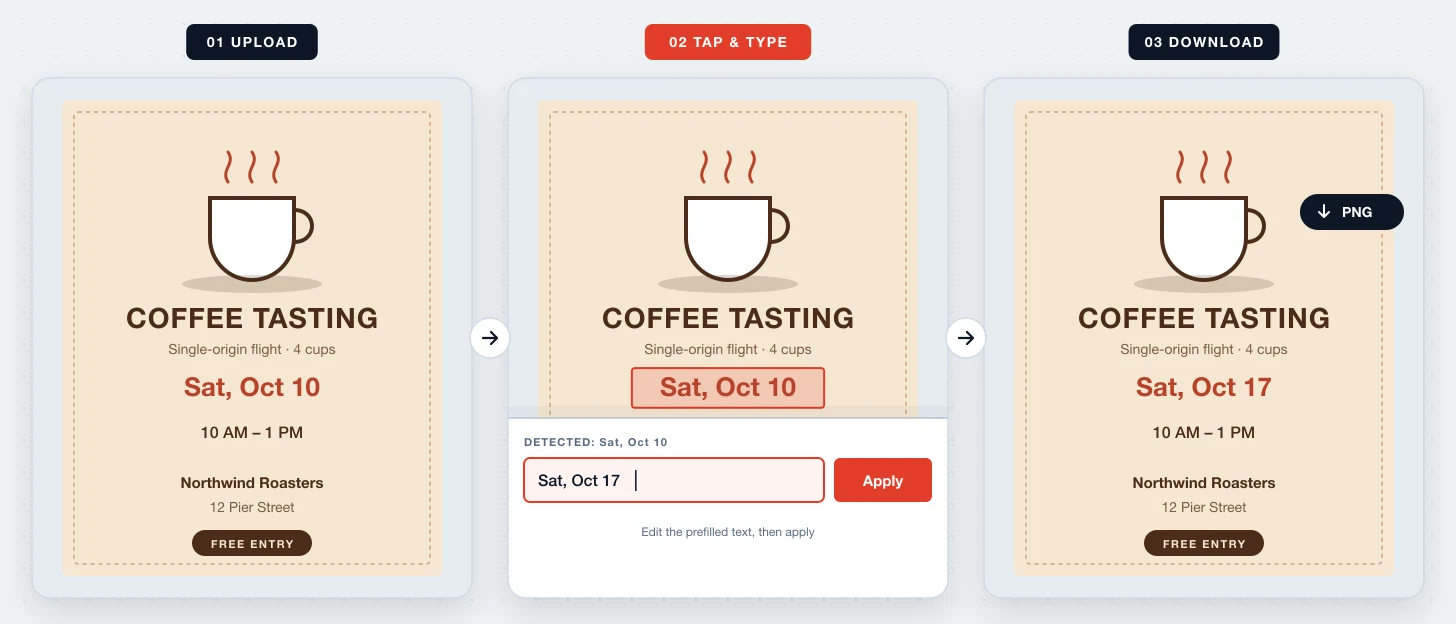
Use the exported image you already have — a PNG from Canva, a JPG from a group chat, or a photo of a printed notice.
Its current text appears in the input, for example “Sat, Oct 10”. Edit only the part that changed instead of retyping the whole line.
The new wording is drawn at a similar size and color. Download the PNG and post it wherever the old version went.
Change Text In Image is for small, factual updates to pictures that are otherwise done: a date, a time, a price, a room number. It saves you from tracking down the original designer or rebuilding a layout to fix one line.
Flyers get forwarded, menus get printed, and the editable source ends up on someone else's laptop. Changing the text in the picture itself is often the only practical option.
Because the detected text is prefilled, turning “$4.25” into “$4.50” or “9 AM” into “8 AM” is a two-character edit — and fewer keystrokes means fewer new typos.
Update information you are responsible for: your event, your café, your store. Never change text on tickets, IDs, certificates, receipts, or official documents to mislead anyone.
Tap a word and its existing text lands in the input, ready to correct.
The new text starts with the size and color measured from the old text.
Snap a menu board or a notice on the wall and change it like a digital file.
Change the date, then the time, then the venue — each edit is separate and can be undone.
Change text written in English, Simplified or Traditional Chinese, Japanese, Korean, Spanish, French, German, or Russian.
Download a full-resolution PNG and share it without a watermark.
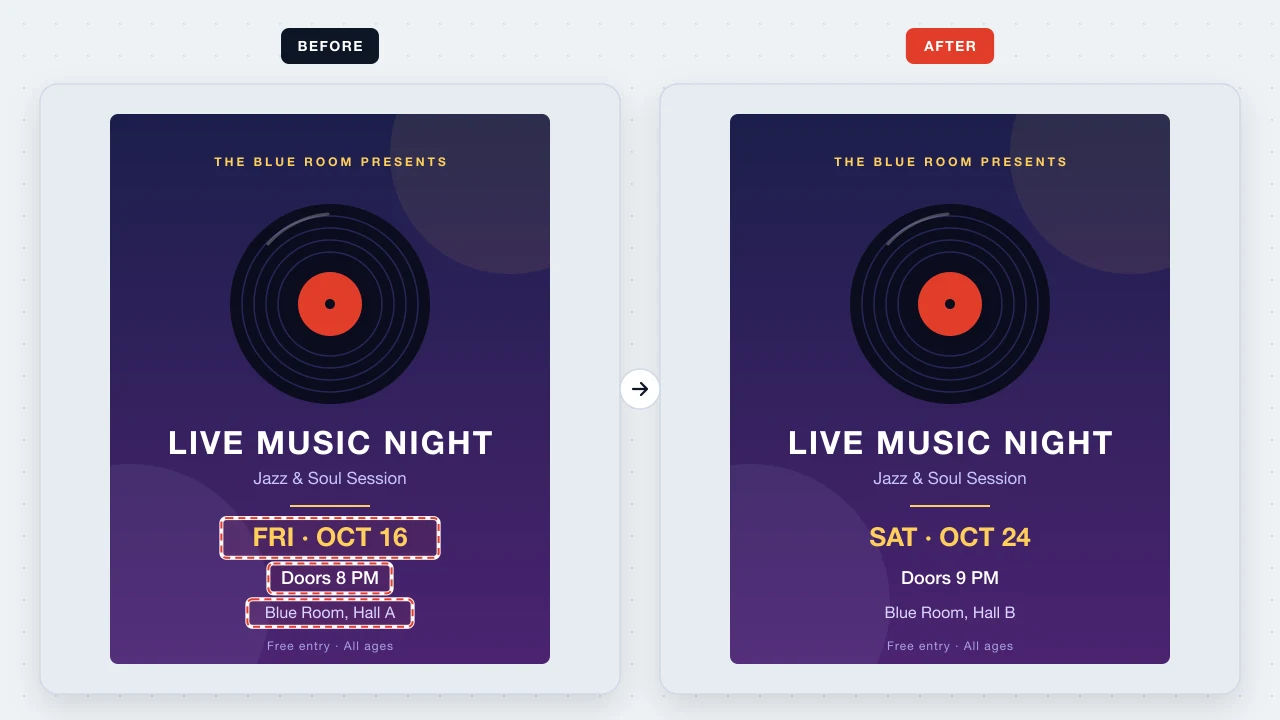
The show moved from Friday to Saturday, and to Hall B? Change the date, door time, and room on the flyer instead of designing a second version.
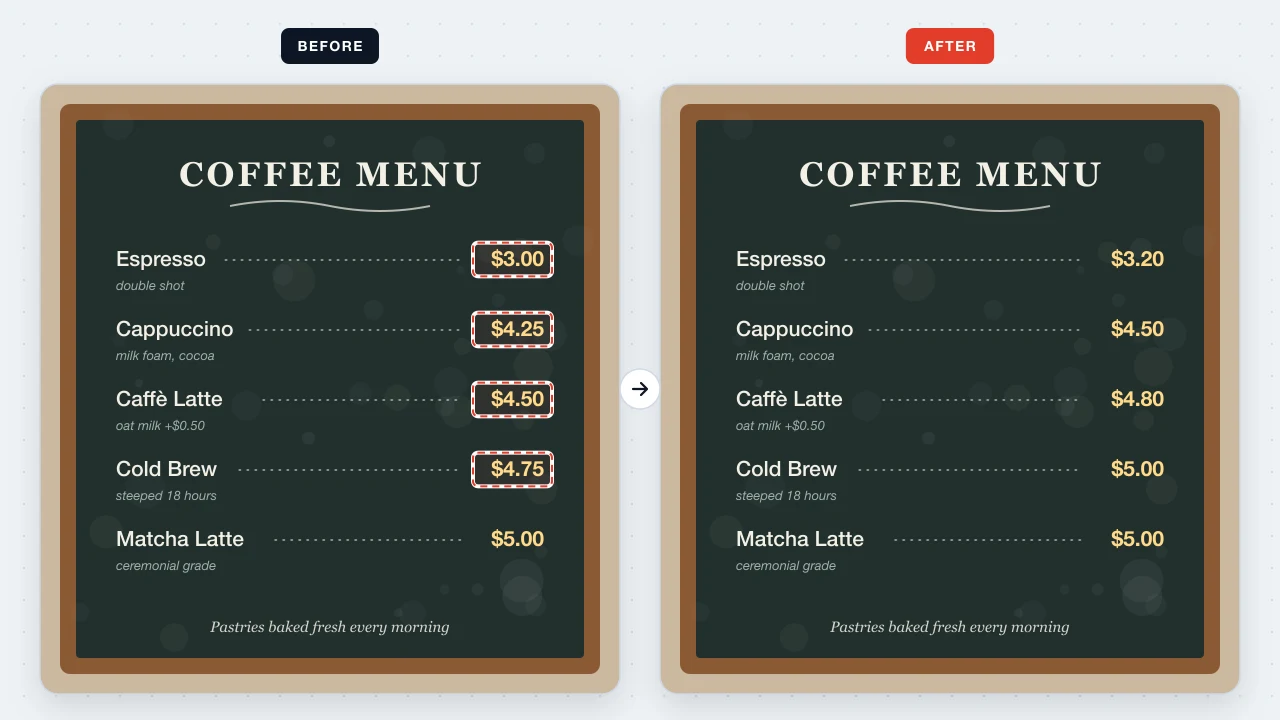
Change espresso from $3.00 to $3.20 and cappuccino from $4.25 to $4.50 on your menu image, then reprint or repost it the same afternoon.
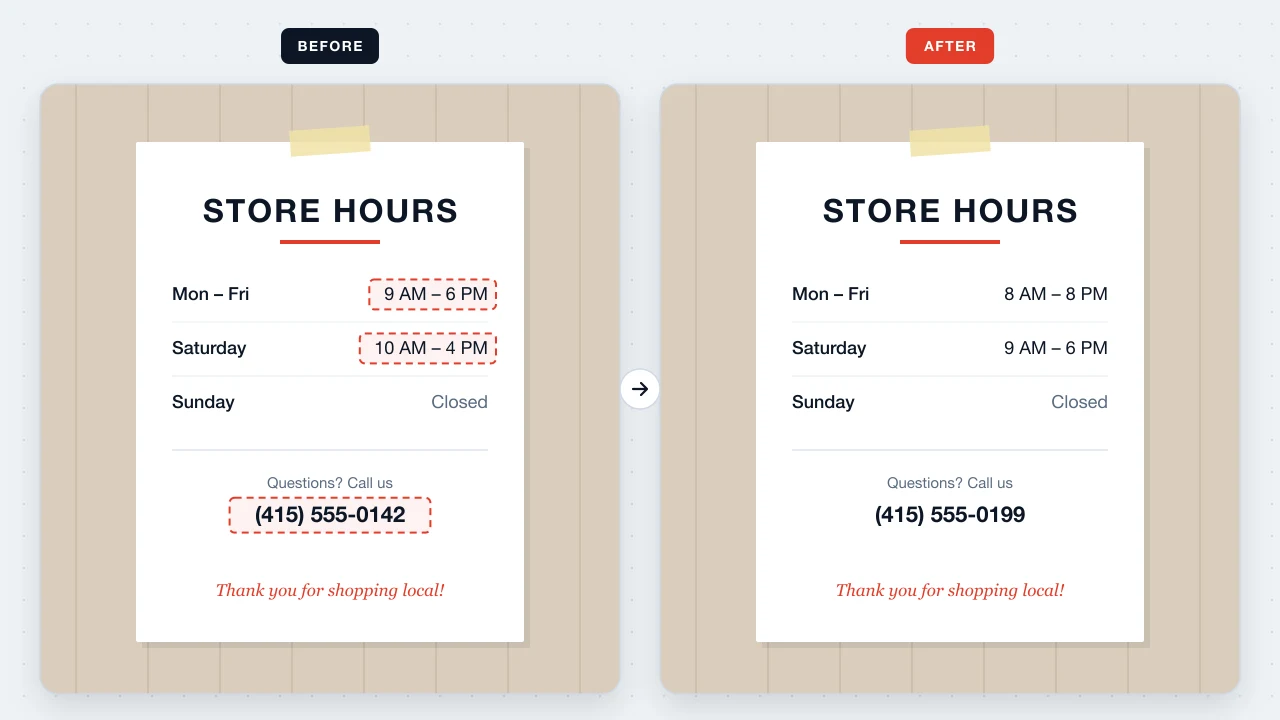
Longer opening hours or a new phone line? Change those lines on the sign image you already use on Google Maps and social media.
Price lists and event flyers are often confidential until launch day. Reading the text, clearing it, and drawing the new wording all happen in your own browser tab — the image is never transmitted to us or to a third party.
Upload the picture, tap the outdated words, edit the prefilled text, and apply. You get a new PNG without needing the PSD, Canva, or Figma source.
Yes. The existing wording is filled into the input, so you can edit a single digit and leave the rest as it was.
Usually, if the text is sharp and photographed straight on. Crop the edges and avoid glare for the best detection.
Open Text Style and try another font family or weight, or nudge the size up or down. Highly decorative lettering can only be approximated.
No. Changing text on tickets, IDs, certificates, receipts, or official records to deceive others may be illegal and is prohibited by our Terms of Use.
No. There are no credits or paid exports; every download is free and watermark-free.
Tap the old detail, type the new one, and share the corrected picture in under a minute.
Change text in an image