
A privacy-first way to edit text in image files
Many online editors upload your file to the cloud. Edit Text In Image runs OCR and editing on your device, so images, memes, posters, and product shots never leave your browser.
Edit text in image
Use Edit Text In Image to change wording on photos and images in your browser. Detect text with local OCR, then erase or replace it — nothing is uploaded. No sign-up. Completely free.
Choose an image to edit text
Upload a photo or graphic with clear text
Choose the language used in your image before uploading
Open Edit Text In Image and upload a PNG, JPG, or other common image. The file stays in your browser and is never sent to a server.
Local OCR finds text in your image and highlights each region. Pick an OCR language if needed — recognition usually takes only a few seconds.
Tap a highlighted box to edit text in image: clear the field to erase, or type new wording and apply. Then download a clean PNG.

Edit Text In Image is a free online tool for changing text that already appears inside a picture. Instead of redesigning the graphic, you upload the image, detect the words with OCR, and erase or replace them locally in your browser.
Many online editors upload your file to the cloud. Edit Text In Image runs OCR and editing on your device, so images, memes, posters, and product shots never leave your browser.
Marketers, creators, support teams, students, and anyone who needs to edit text in image assets quickly — redact private details, fix typos, or refresh marketing visuals without opening desktop software.
Remove phone numbers and IDs, replace incorrect captions, clean UI images, and export a watermark-free PNG. Zoom in on mobile when the text is small, then apply your edit with one click.
When you edit text in image here, pixels stay in browser memory only. Refresh the page and the data is cleared — ideal for sensitive captures.
Edit Text In Image is free to use with no registration, no usage caps, and no watermarks on downloads.
Choose English by default or switch to Chinese, Japanese, Korean, and more before you edit text in image with denser scripts.
Erasing text fills the gap from nearby pixels so solid and simple gradient backgrounds look natural after you edit text in image.
Edit Text In Image works in modern browsers. On mobile, zoom the canvas so tiny text is easy to select and edit.
Download your result at the original resolution as PNG — ready to share after you edit text in image.
Before sharing chats, invoices, or dashboards, edit text in image to erase phone numbers, addresses, amounts, or account IDs.

Wrong caption on a slide or tutorial graphic? Edit text in image to replace the wording instead of rebuilding the whole asset.
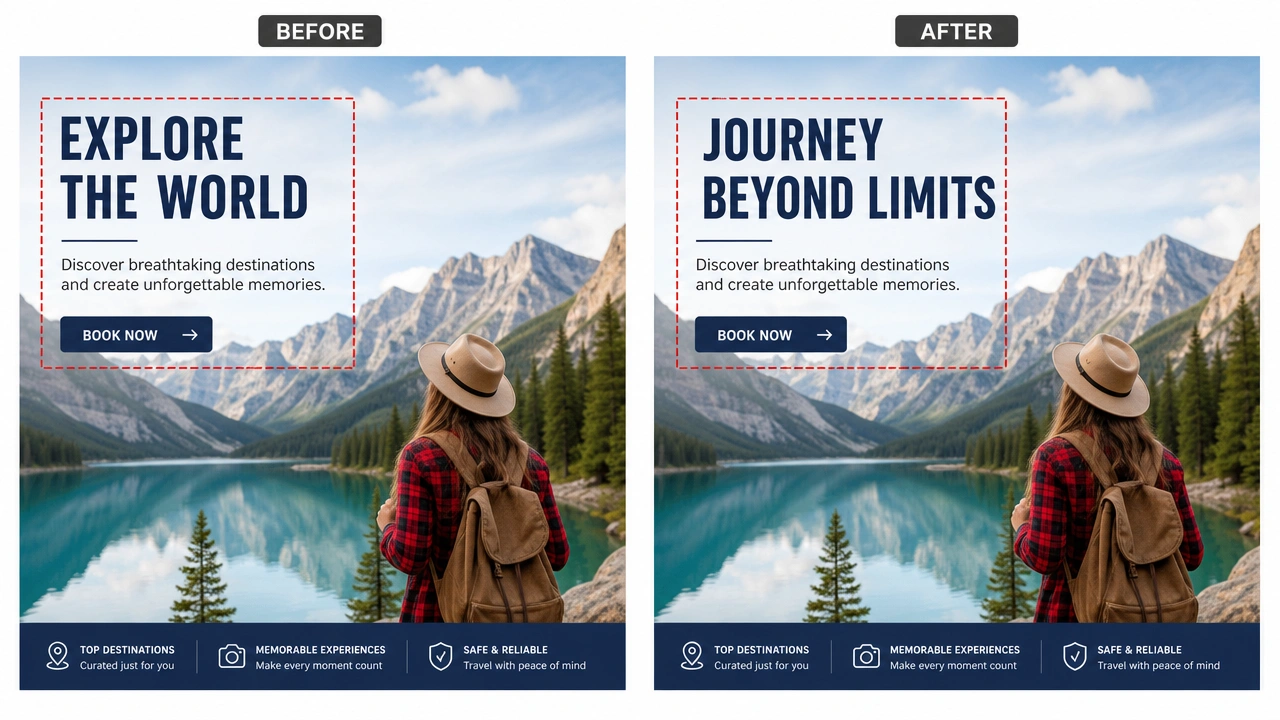
Remove test data or placeholder copy so UI and campaign images look clean after you edit text in image for publishing.
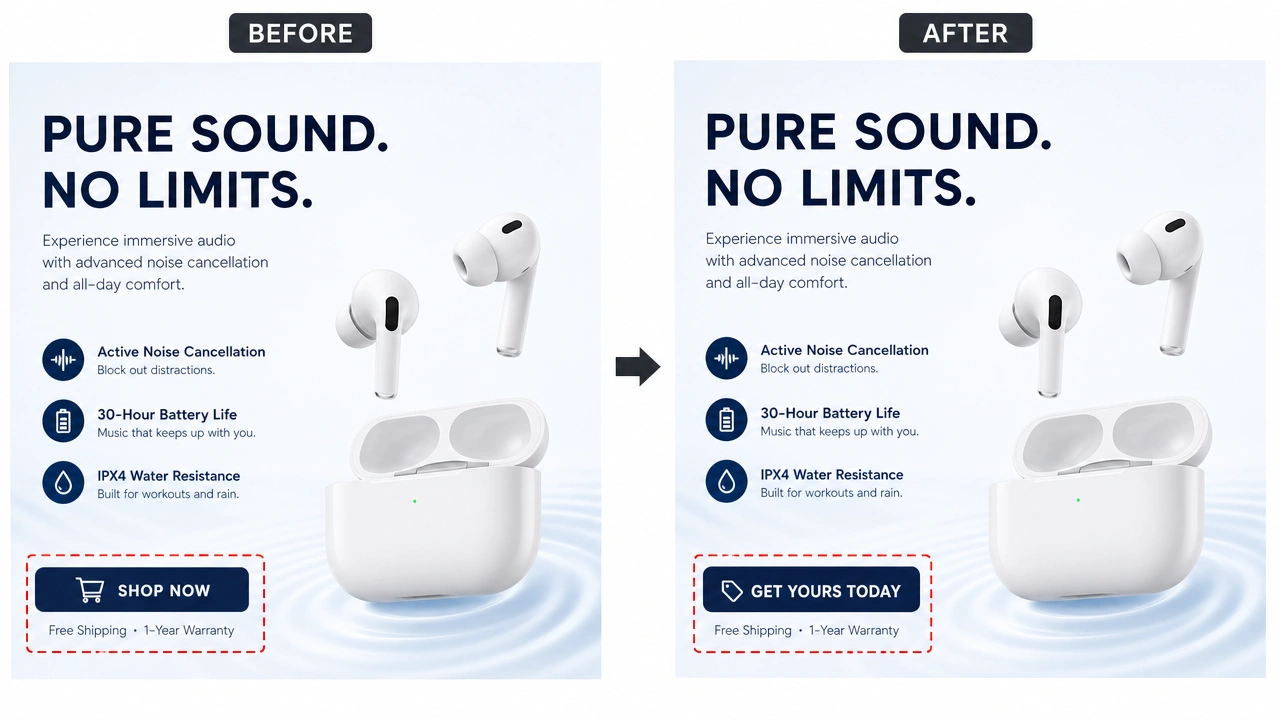
Edit Text In Image uses the same local stack as Screenshot Editor: OCR and edits run via WebAssembly and Canvas in your browser. From upload to download, your image stays on your device — we cannot see or store it.
Edit Text In Image lets you detect text inside a picture with local OCR, then erase or replace that wording in your browser without uploading the file.
Yes. Edit Text In Image is free: no account, no usage limits, and no watermarks on exports.
No. OCR and editing run locally. Image data never leaves your device and is cleared when you close or refresh the page.
Clear images and graphics with high-contrast printed text work best when you edit text in image. Handwriting or tiny blurry text may need zoom or a sharper source file.
Yes. Open Edit Text In Image in a mobile browser, upload from Photos, zoom if needed, then erase or replace text and download the PNG.
English is the default. You can also choose Simplified Chinese, Traditional Chinese, Japanese, Korean, Spanish, French, German, or Russian before recognizing.
Edit Text In Image uses the same core editor. This page is optimized for people searching specifically to edit text in image on any photo or graphic.
No. Edit Text In Image works in a modern web browser on desktop and mobile.
Upload a picture and edit text in image in your browser — free, private, no account.
Start editing text in image