
Clean background, then new text
Simply typing over old text leaves ghost letters behind. This tool erases the original wording and fills the background before drawing the replacement, so the result looks native.
Replace text in screenshot
Replace text in screenshot images with wording that blends in. Local OCR finds the original words, then you swap them and fine-tune the style — without uploading anything. Free, no sign-up, no watermark.
Upload a screenshotPaste your screenshot
Open Photos and pick it from your Screenshots album.Just took a screenshot? Press ⌘V to load it instantly, or drop a PNG / JPG file here.
Default English — switch if your screenshot uses another language
Choose a PNG or JPG capture. It opens locally in the browser and never leaves your device.
Tap a detected word or drag over a phrase. Type the replacement wording in the input.
Adjust font, size, weight, color, and alignment in Text Style, apply, and download the PNG.
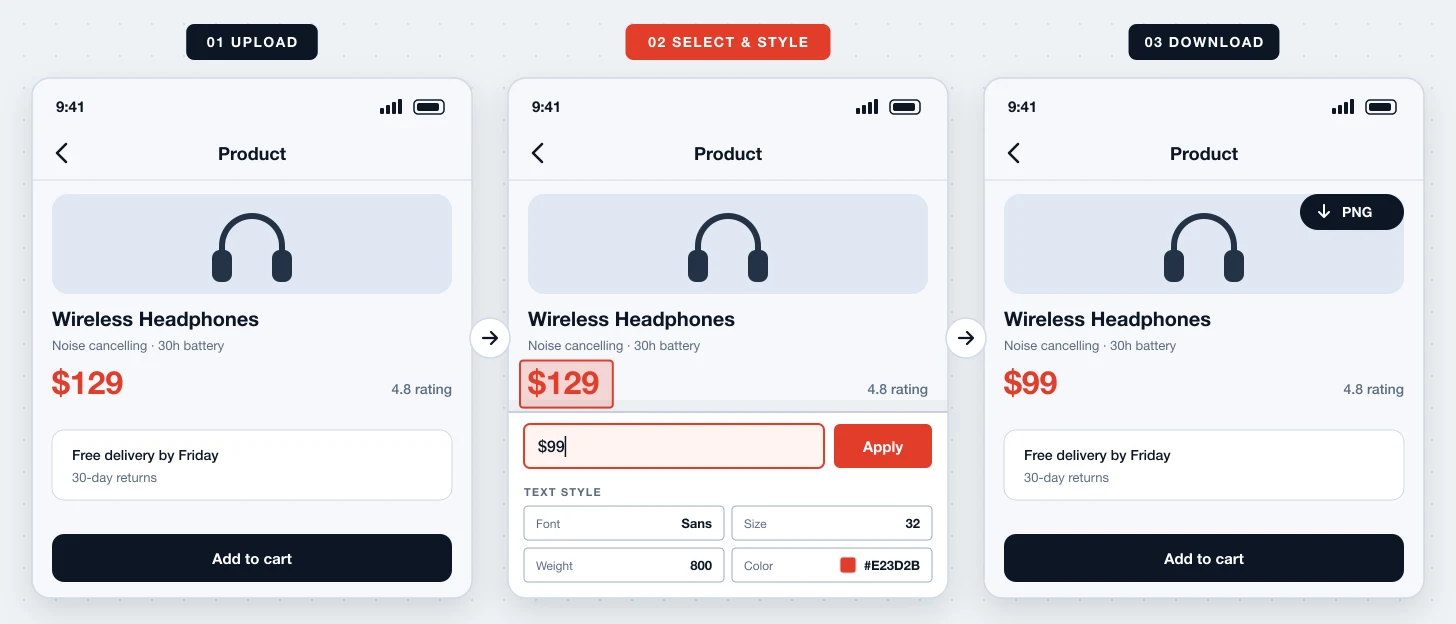
Replace Text In Screenshot is a free online tool that swaps existing words in a screen capture for new ones. The original text is erased with background fill first, then your replacement is rendered with the style you choose.
Simply typing over old text leaves ghost letters behind. This tool erases the original wording and fills the background before drawing the replacement, so the result looks native.
Pick from system, sans, serif, mono, or rounded fonts, set size and weight, choose a color, and align left, center, or right. Defaults are estimated from the original text.
Replacing screenshot text used to mean layers, clone stamps, and font hunting. Here it is a few taps in the browser, on desktop or mobile.
Fine-tune the replacement so it sits naturally next to the surrounding text.
Align replacement text left, center, or right inside the original text area.
Original letters are erased with smart fill before the new wording is drawn.
Not happy with the match? Undo and try another size or color.
OCR and rendering run in your browser. Your screenshot is never uploaded.
Download at original resolution — no watermark, no account.
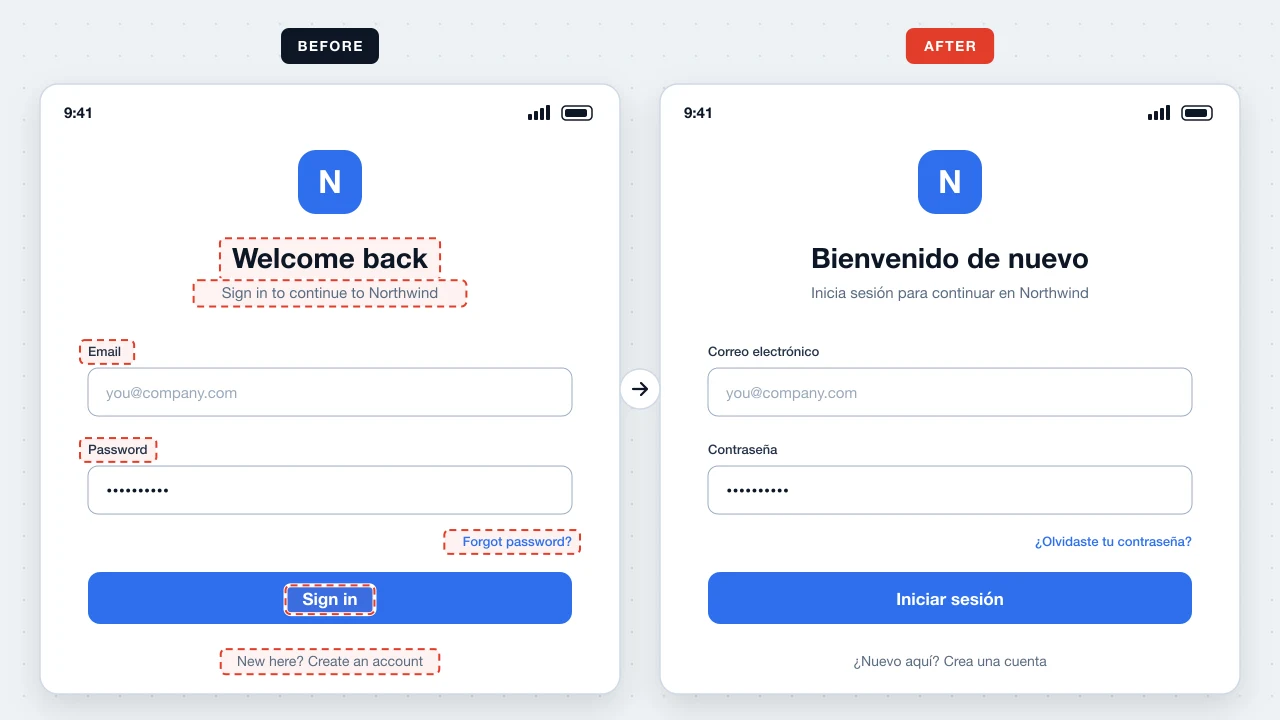
Replace English labels with translated wording for docs and app-store listings in other markets.
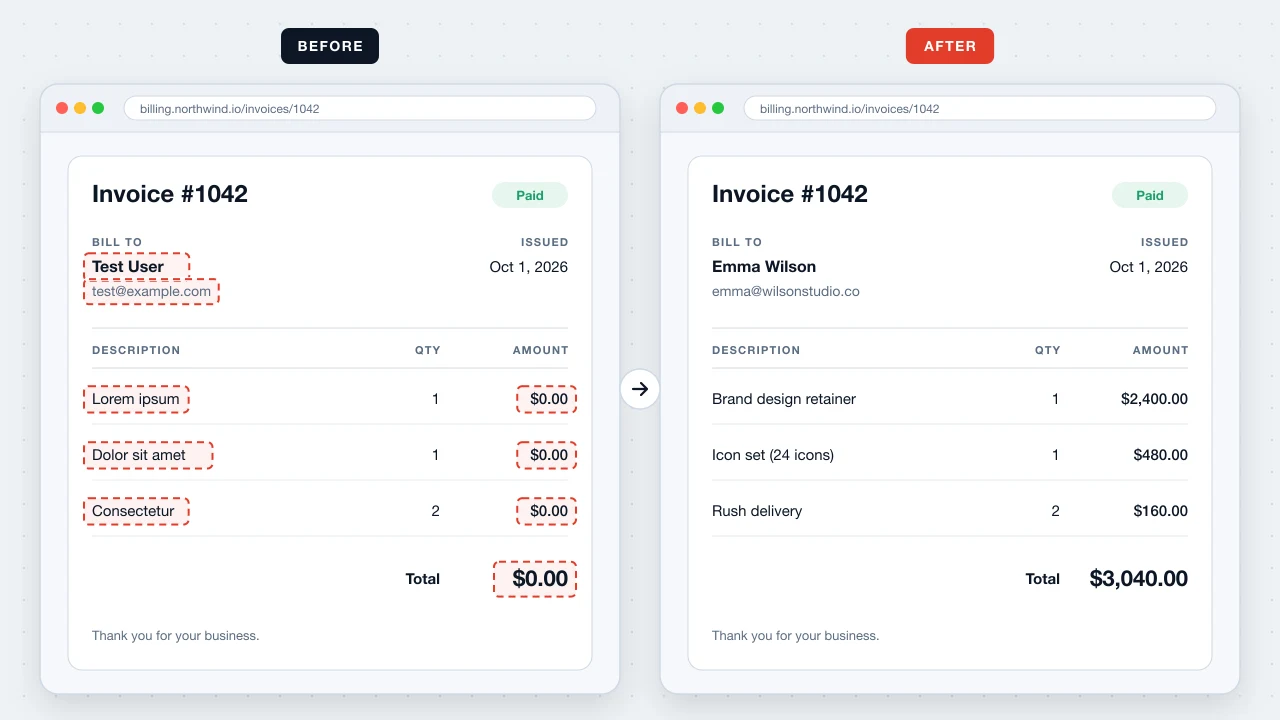
Replace test names, prices, or lorem ipsum with realistic sample content for marketing visuals.
Replace a wrong heading or caption in a slide or social graphic while keeping its look.

Replace Text In Screenshot uses the same local engine as Screenshot Editor: OCR, erasing, and text rendering all run in your browser. We cannot see or store your screenshots.
Upload the screenshot, select the words, type the replacement, adjust Text Style if needed, and apply. Download the PNG when it looks right.
Size and color are estimated automatically. Pick the closest font family and weight in Text Style; sans or system fonts suit most app UIs.
No. The original wording is erased and the background is filled before the replacement is drawn.
Yes. No account, no usage limits, and no watermark.
No. Everything happens locally in your browser.
You can drag across a phrase to select multiple words and erase them together. Replacement works on one selected region at a time, so replace each phrase separately.
Yes. It works in Safari and Chrome on iPhone and Android.
Swap the wording and match the style in your browser — free and private.
Start replacing screenshot text